SQL
A SQL step runs a query on a database and measures its time. PostgreSQL, MySQL / MariaDB, SQL Server and Oracle are supported. A step runs either the same query on every iteration (Single query) or one of several queries picked by weight (Query mix). A mix lets one step reproduce the production query profile; the results show each query's latency and errors on their own. When we measure the before/after effect of an index or a version upgrade, we usually use a mix.
You can write queries by hand, bulk add them from a .sql file, import them from pg_stat_statements / MySQL digests, or have them suggested from the schema. Any query that is not a read needs an explicit approval (Write protection).
The load test runs the query on the real database on every iteration. Use a test/staging copy instead of production, and a user with read rights only.
Supported databases
| Type | Default port | Placeholder | Reads in a read-only transaction |
|---|---|---|---|
| PostgreSQL | 5432 | $1, $2… |
Yes |
| MySQL / MariaDB | 3306 | ? |
Yes |
| SQL Server | 1433 | @p1, @p2… |
No, only the statement check |
| Oracle | 1521 | :1, :2… |
No, only the statement check |
Creating a SQL connection
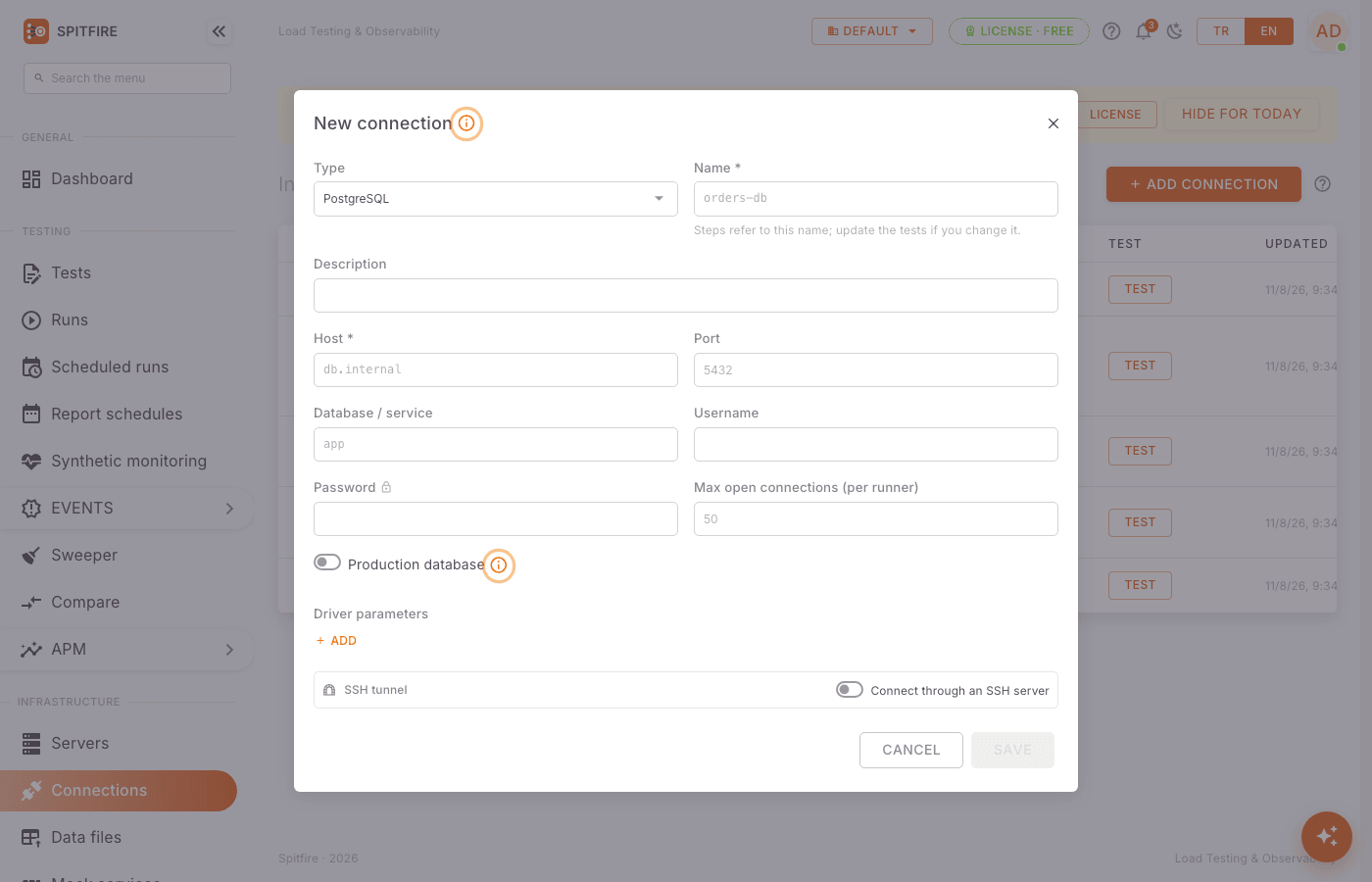 New PostgreSQL connection
- Connections → Add connection, pick the database as Type, give it a Name (e.g.
orders-db). - Host: host name or IP. With an SSH tunnel this name is resolved on the SSH server's side. An empty Port means the type's default.
- Database / service: the database name; for Oracle the service name, not the SID (e.g.
FREEPDB1). - Username and Password: if you can, a separate user with
SELECTonly on the tables you need. - Max open connections (per runner): default 50. Total connections ≈ number of runners × this value; set it against the database's
max_connections. - Production database: tick it when the connection goes to production. The list shows a red PRODUCTION badge and reading the schema needs an extra confirmation.
- Driver parameters: e.g. PostgreSQL
sslmode=require, SQL Serverencrypt=true. - If the database is reachable only through a bastion, fill in the SSH tunnel section (installation admins only; see SQL: SSH tunnel).
- Save, then Test. When the connection works, the test result shows success.
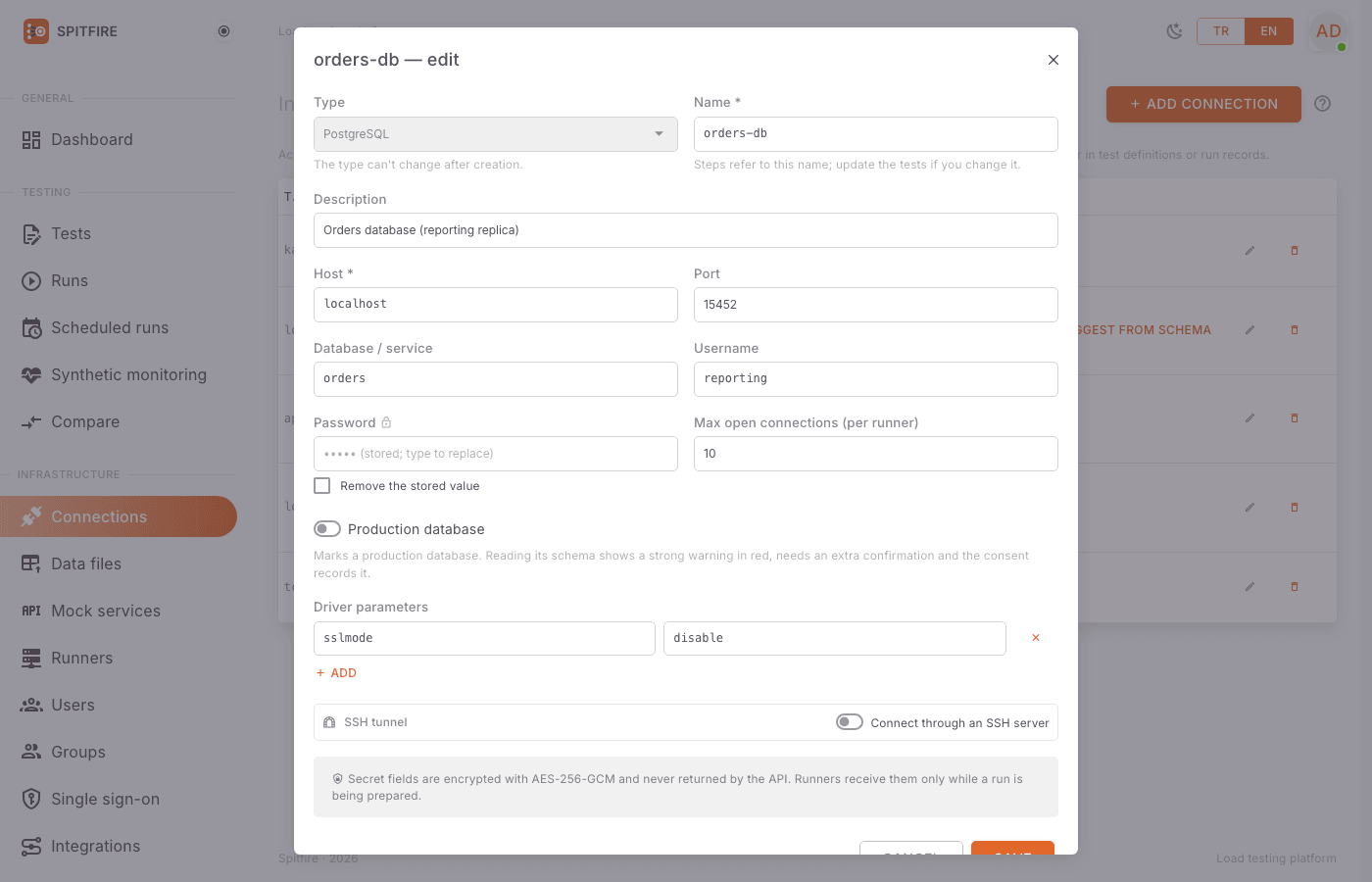 Editing a SQL connection
Single query step
- In the test editor: Add step → Protocol: SQL, Connection:
orders-db. The connection's type decides the placeholder style. - Query type: Single query. Write the query in Query; don't put values into the query, use parameters.
- Under Parameters give a value for each placeholder (
#1,#2…). A value may be a template:{{customerId}}, a CSV column{{customers.id}},{{fake.firstName}},{{$randInt 1 100000}}. - Max rows kept (default 100): how many rows checks and extraction see. More rows are counted but not read.
- In the Checks tab add e.g. Row count = 1. Rows come back as a JSON array; in Extract use a JSONPath such as
$[0].status. - Run one iteration with Try it, check the rows returned, then press Save.
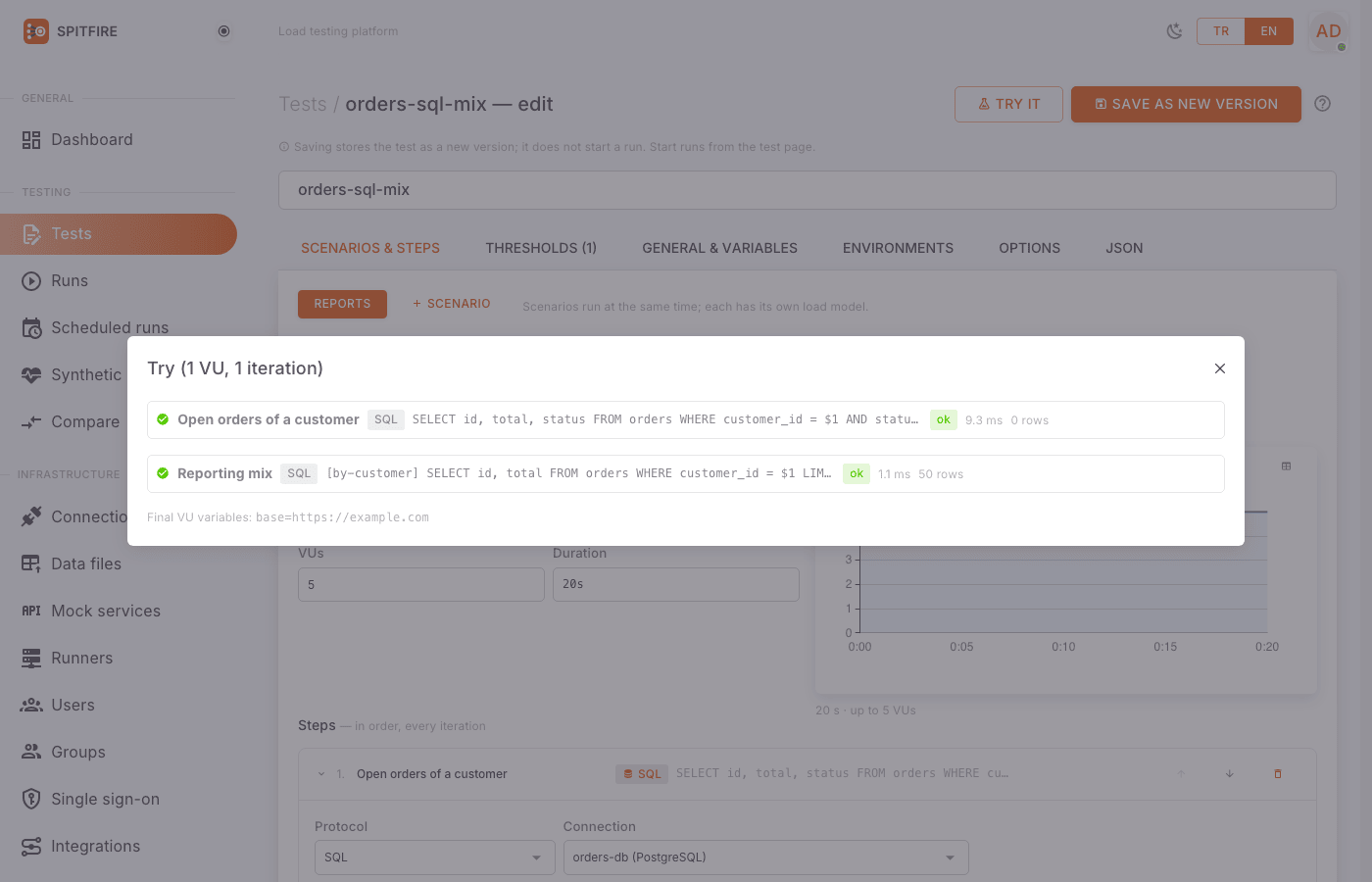 Try result
{"id": "order", "name": "Get order", "protocol": "sql", "connection": "orders-db",
 "sql": {"query": "SELECT id, status, total FROM orders WHERE id = $1", "params": ["{{$randInt 1 100000}}"]},
 "extract": [{"var": "status", "from": "jsonpath", "expr": "$[0].status"}],
 "checks": [{"type": "rowCount", "op": "eq", "value": 1}]}
On MySQL the same step reads WHERE email = ?, on SQL Server WHERE CustomerId = @p1; only the placeholder changes.
Query mix
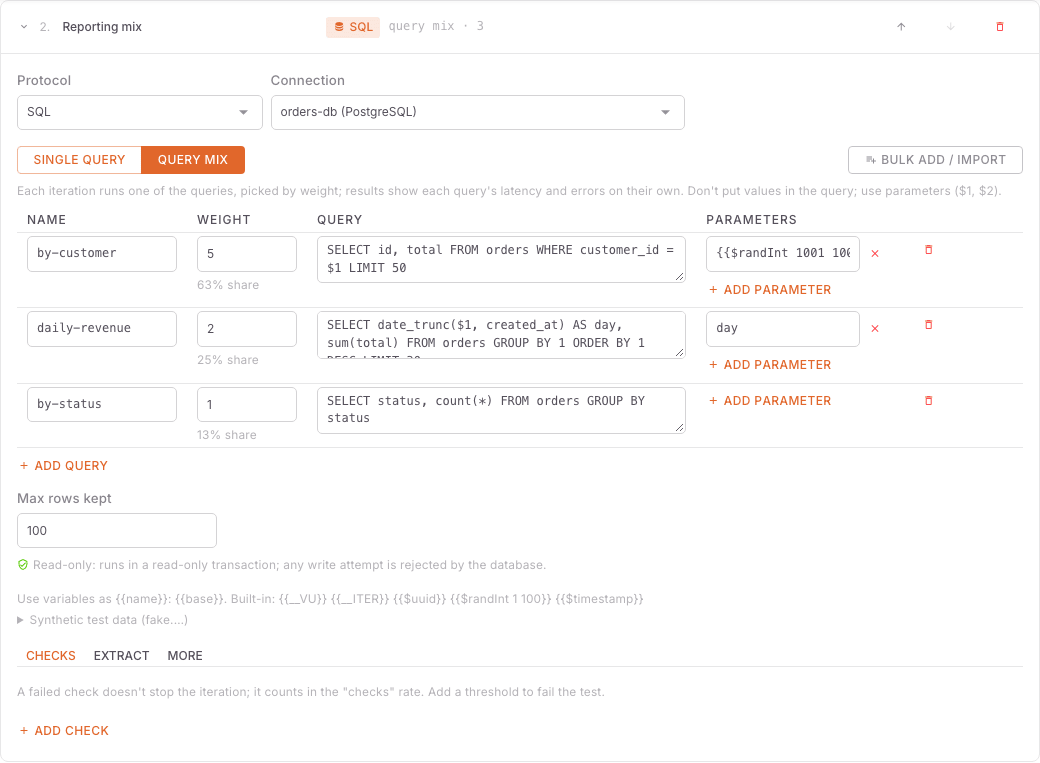 Query mix step
Pick Query mix as the Query type. A query already written becomes the mix's first entry, named query_1 with weight 1. Add rows with Add query or fill the mix with Bulk add / import. On each row:
- Name: unique, at most 80 characters, no template. Result tables and threshold filters use this name.
- Weight: a positive whole number, relative (the row shows …% share). Call counts from
pg_stat_statementswork as they are.
A mix holds at most 200 queries. A step with a mix has no query and params of its own. When a query in the mix modifies data, the checkbox Queries in this mix modify data, I approve appears; that one approval covers every write in the mix.
{"id": "catalog", "name": "Catalog queries", "protocol": "sql", "connection": "orders-db",
 "sql": {"mix": [
   {"name": "byId",   "query": "SELECT * FROM products WHERE id = $1", "params": ["{{$randInt 1 5000}}"], "weight": 120000},
   {"name": "search", "query": "SELECT * FROM products WHERE name ILIKE $1 LIMIT 20", "params": ["%{{fake.firstName}}%"], "weight": 30000}
 ]}}
Here about 80% of the iterations run byId and 20% run search.
Bulk add
The Bulk add / import button opens the SQL bulk add dialog. On the Statements / .sql file tab:
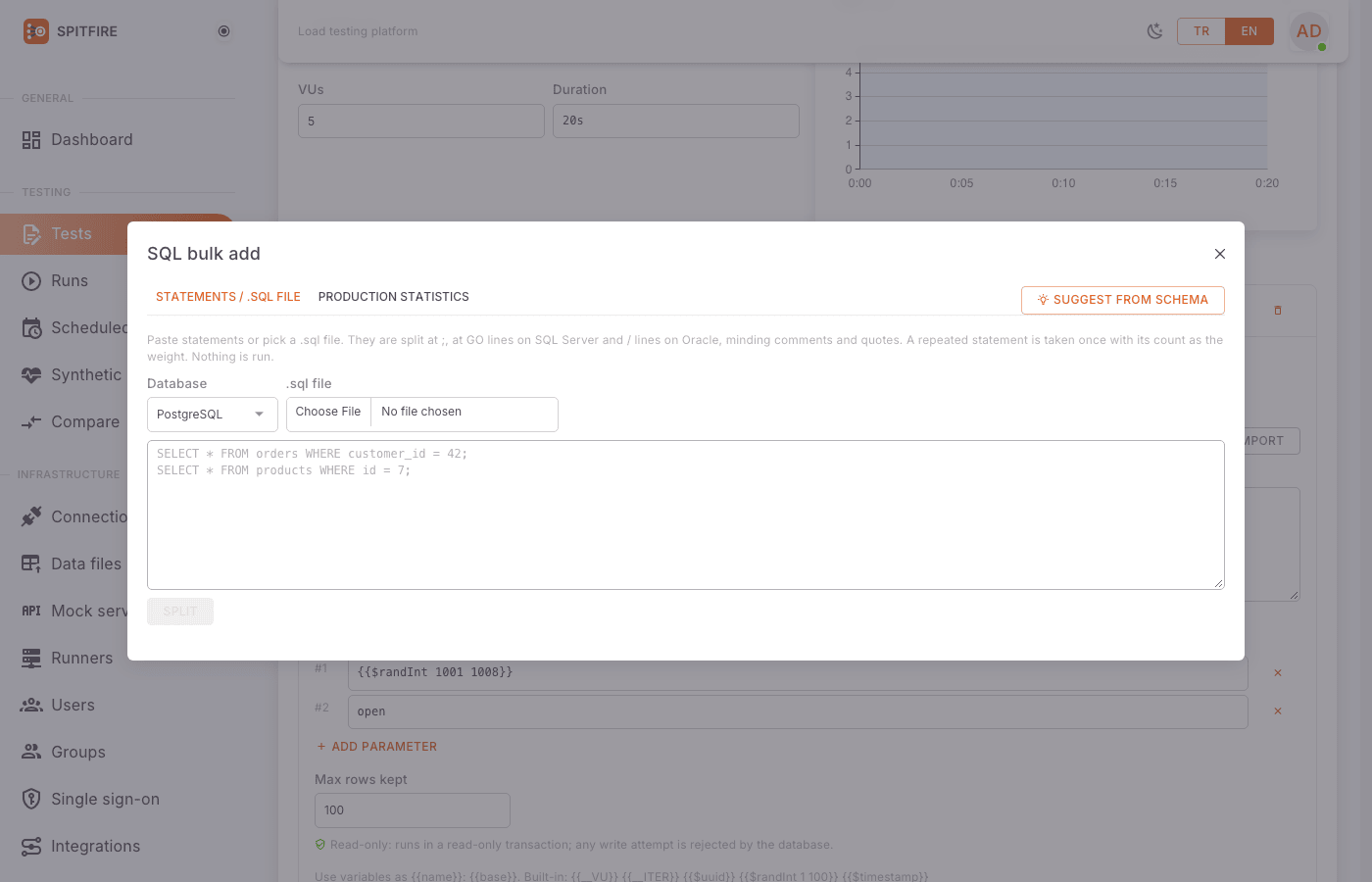 SQL bulk add dialog
- Pick the dialect in Database; the splitting rules depend on it (PostgreSQL
$$quotes, MySQLDELIMITER, SQL ServerGO, Oracle/and PL/SQL blocks). - Paste the statements or pick a .sql file, then click Split. Nothing is run.
- The table shows each distinct statement once; the Count column becomes the weight. Kind: read, write, lock, INTO, procedure, several statements. Transaction statements such as
BEGIN,COMMIT,ROLLBACK,SAVEPOINTare skipped; a stepBEGIN; INSERT …; COMMITshows asINSERT. PL/SQL and T-SQLBEGIN … ENDblocks are not transaction statements. - Rows come selected. Inserts/updates are marked amber, deletes and DDL red. Change the selection with Reads only, All, None.
- Output: One query mix step or One step per statement. Click Add (N). If the selection writes, the test consent dialog opens first.
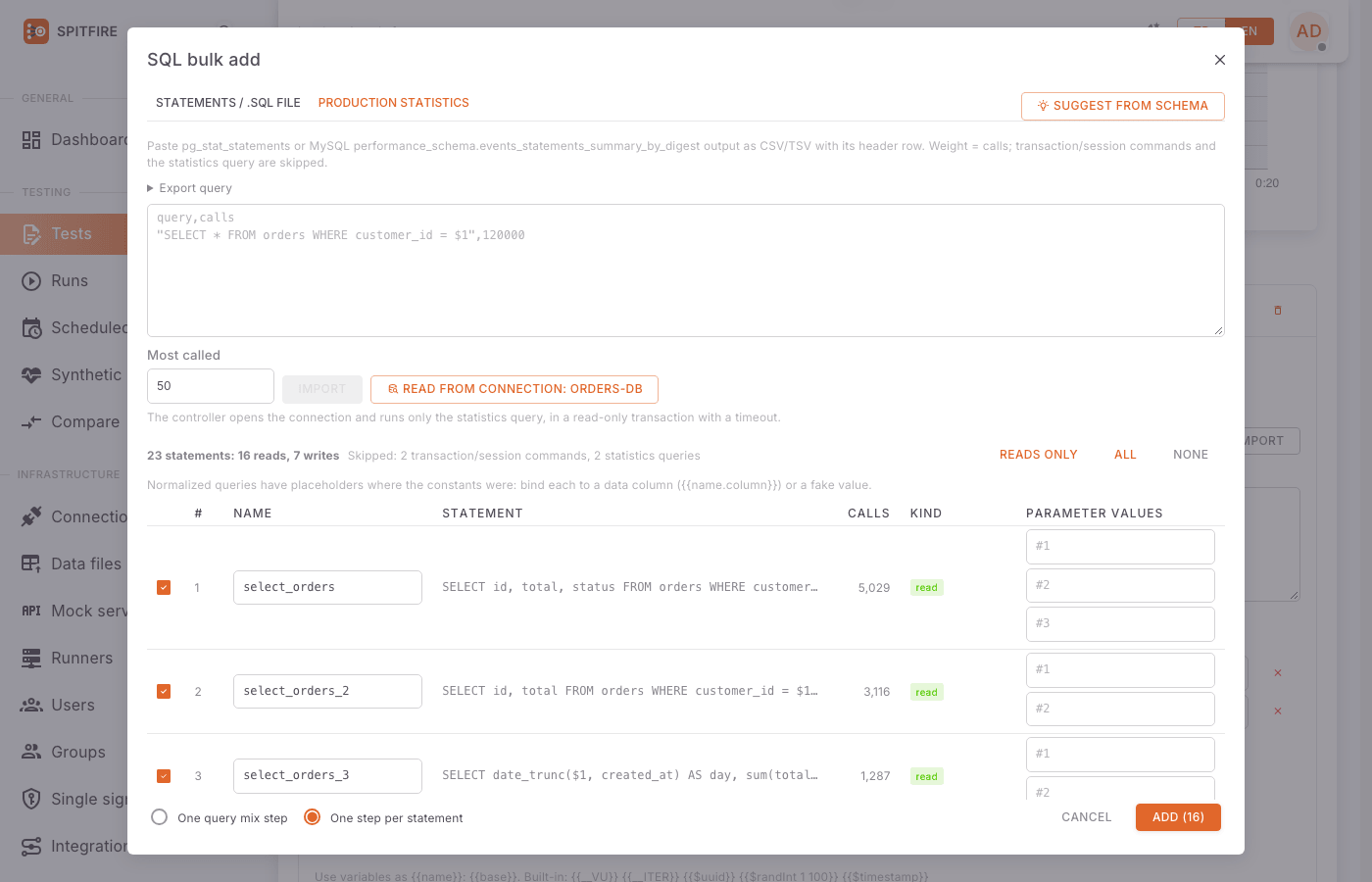 Bulk add review table
Add from a CSV
The CSV tab reads a CSV with a header row (comma, semicolon or tab). The required column is query (or sql, statement); optional columns are name, weight (whole number) and params (a JSON array or values split by |). Rows are listed in file order, not merged.
name,query,weight,params
order_by_id,SELECT * FROM orders WHERE id = $1,5,{{orders.id}}
new_order,"INSERT INTO orders (customer_id) VALUES ($1)",1,{{$randInt 1 1000}}Importing production statistics
The Production statistics tab takes the queries your database really runs most, with their call counts. This gives the most accurate load profile: a mix guessed by hand rarely matches the real distribution.
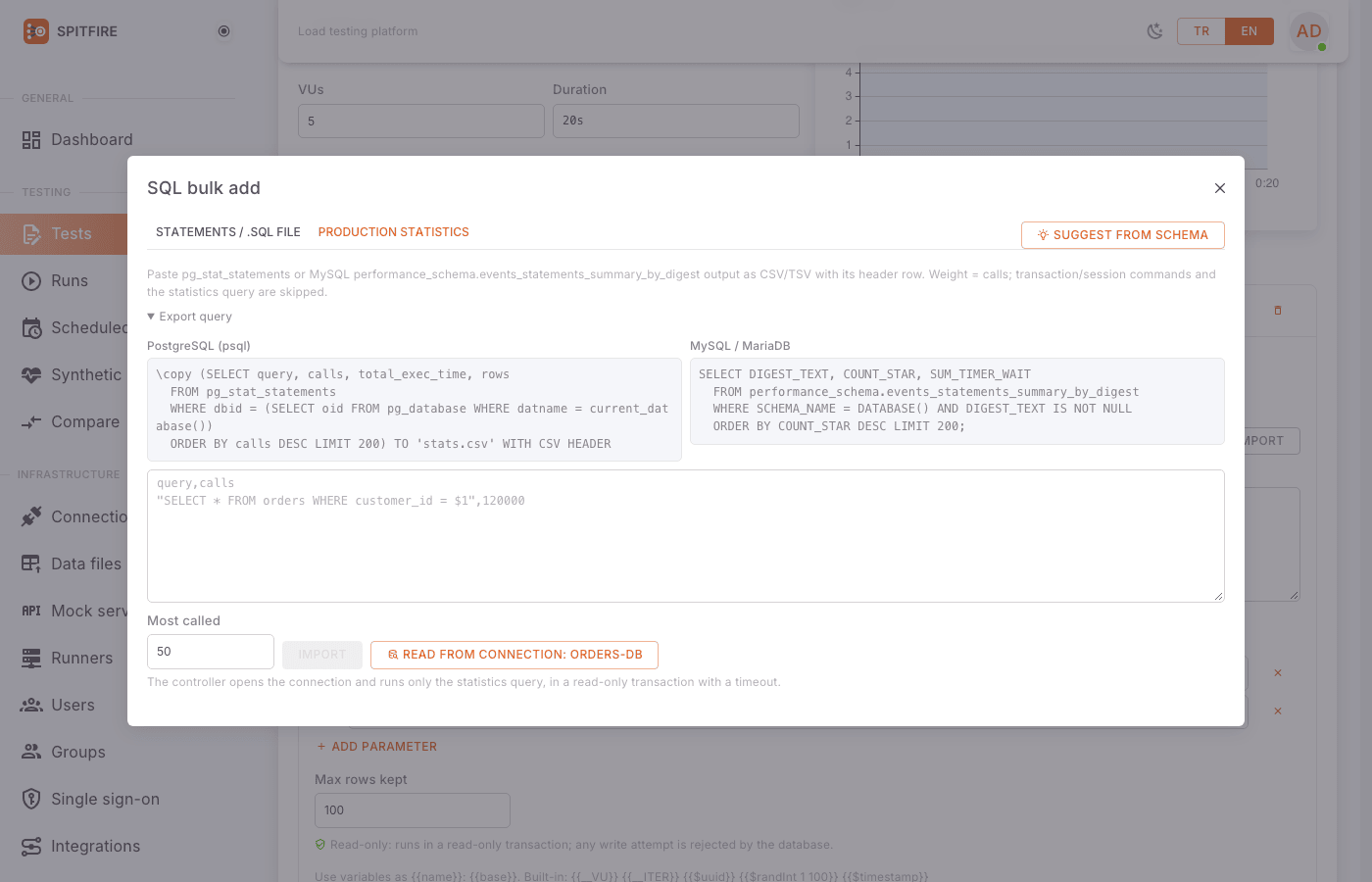 Production statistics tab
Method A (any user): expand Export query. For PostgreSQL it shows a \copy command that writes the top 200 rows by calls from pg_stat_statements to stats.csv (the extension must be installed and loaded); for MySQL a query on performance_schema.events_statements_summary_by_digest. Run it in your own client, paste the output with its header row, choose Most called (default 50, at most 200) and click Import.
Method B (admins only, PostgreSQL and MySQL): click Read from connection: orders-db. The controller runs only the statistics query, inside a read-only transaction with a timeout.
With both methods call counts become weights, BEGIN/COMMIT/SET and the statistics query itself are skipped (Skipped: …), and writes come unselected. Normalized queries have placeholders where the constants were; in the Parameter values column bind each to a data column ({{name.column}}) or a fake value. MySQL's collapsed IN (...) lists and cut texts are flagged with a note; fix them by hand after adding.
The Suggest from schema tab in the same dialog (installation admins only) suggests queries from the schema: SQL: query suggestions from the schema.
Per-query results
Every SQL step produces req_duration (ms), req_failed, reqs and rows (rows returned or affected). In a query mix each query also produces a sql_query_duration and sql_query_failed series; the series' check label is the query's name. The SQL query mix card on the run page shows each query's Calls, Share and Error rate; the HTML/PDF report and the CLI summary have the same. To put a threshold on a single query:
[
  {"metric": "sql_query_duration", "filter": {"check": "search"}, "expr": "p(95)<200"},
  {"metric": "sql_query_failed", "expr": "rate<0.01"}
]Write protection
What counts as a write
The write guard tokenizes each query per the database's syntax and counts keywords only where a statement starts (the beginning, a CTE body, after EXPLAIN, a subquery). A replace() function or a column named update does not turn a read into a write.
| Kind | Examples |
|---|---|
| Read | SELECT, SHOW, EXPLAIN, DESCRIBE, VALUES, TABLE, WITH … SELECT |
| Write | INSERT, UPDATE, DELETE, MERGE, UPSERT, REPLACE, TRUNCATE, DROP, CREATE, ALTER (on SQL Server also GRANT, REVOKE, DENY, BULK, DBCC) |
| Lock | SELECT … FOR UPDATE, FOR SHARE, FOR KEY SHARE; SQL Server UPDLOCK, XLOCK, HOLDLOCK, TABLOCKX |
| INTO | SELECT … INTO |
| Procedure | CALL, EXEC, EXECUTE, DO (unknown side effects) |
| Several statements | More than one statement, at least one of which writes |
Anything not recognized as a read counts as a write.
Approvals
- On the step: a query that is not a read shows This statement modifies data, I approve. Without it the test is not saved: this statement modifies data (UPDATE); tick "modifies data" to allow it. The JSON field is
allowWrite. - On a try: Try it first opens the Try a test that modifies data dialog; continue with I understand, try it.
- On every run: a run does not start until you tick I understand this test changes real data; start it in the run dialog (or the approval is given on a phone).
- Consent for the test: a test whose SQL or MongoDB steps change data does not run without a recorded consent for the same set of statements; the server refuses the run, the comparison, the schedule and the monitor. The warning shows the statements that change data, the connections and the counts per kind. Tick the accept box (and the second box when there is a delete,
TRUNCATEor DDL) and type the connection's name,ONAYLIYORUMorI AGREE. The consent applies to the chosen environment's statements and is stored in the database and the audit log with the text, the statements, the user, the IP and the time. When a statement changes, is added or goes to another connection, it is asked again. An admin can revoke it:POST /api/v1/tests/{id}/db-write-consents/{cid}/revoke. For scheduled and CLI runs, give the consent once in the UI first.
{"id": "audit", "name": "Write audit row", "protocol": "sql", "connection": "orders-db",
"sql": {"query": "INSERT INTO audit_log (vu, at) VALUES ($1, now())", "params": ["{{__VU}}"], "allowWrite": true}}Read-only transaction
On PostgreSQL and MySQL / MariaDB every query classified as a read also runs inside a read-only transaction; a side effect that slips through (e.g. a function that changes data) is rejected by the database itself. SQL Server and Oracle have no such mode, and the form warns about it. On these two the only reliable protection is a user with read rights only (db_datareader / SELECT only).
Common problems
| Symptom | Cause | Fix |
|---|---|---|
Test: connection refused or a timeout |
Wrong host/port, internal network or a firewall | Allow the controller and runner IPs; behind a bastion use an SSH tunnel |
password authentication failed, Access denied for user, Login failed for user, ORA-01017 |
Wrong username/password, or no access to the database | Save the password again, check Database / service; on PostgreSQL pg_hba.conf must allow the controller/runner IP |
no pg_hba.conf entry … SSL off or a SQL Server TLS error |
The server requires an encrypted connection | Driver parameters: sslmode = require or encrypt = true |
ORA-12514: listener does not currently know of service |
Wrong Oracle service name | Write the service name, not the SID |
| Saving shows this statement modifies data (…) | The query was not recognized as a read | If you mean to write, approve it; otherwise drop FOR UPDATE, use a SELECT instead of a procedure, split statements into separate steps |
cannot execute … in a read-only transaction / Cannot execute statement in a READ ONLY transaction |
A query that looks like a read tried to write | The protection works on purpose; approve the write if intended, otherwise change the function |
too many connections / remaining connection slots are reserved |
Runners × Max open connections (per runner) exceeds the limit | Lower the value or raise the database's limit |
| weight must be a positive whole number | Invalid weight in the mix | Make weights whole numbers of 1 or more |
| No Read from connection button | SQL Server/Oracle, or the account is not an admin | Use Method A |
When the connection passes Test and Try it returns rows, the step is ready. Next: SQL: SSH tunnel, Redis and MongoDB.